
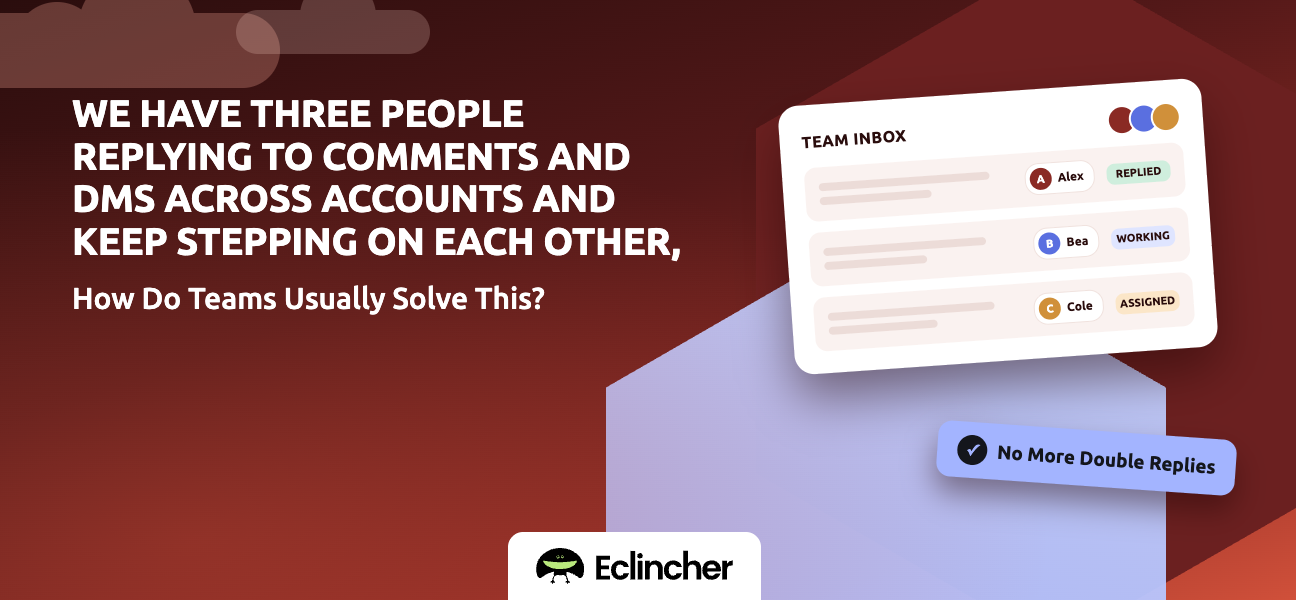


Short answer: Teams usually solve this by moving every comment and DM into one shared inbox, assigning each message to one person, and marking messages complete when they're handled. Clear rules decide who owns what, by network, client, or topic. Social media management platforms with a team inbox, such as Eclincher, Sprout Social, Agorapulse, and Hootsuite, support this. Eclincher's Unified Inbox lets you assign messages to team members, tag them, and mark them complete, so everyone can see what's handled and what's waiting.
Key takeaways
- The problem isn't the people. It's that nobody can see who's handling what.
- One shared inbox replaces three people checking the same native apps.
- Every message gets exactly one owner, and every handled message gets marked complete.
- Simple ownership rules prevent most collisions before they happen.
- Saved replies and tags keep three voices sounding like one brand.
Why do teams step on each other in social inboxes?
Teams collide because native apps weren't built for shared work. When three people check the same Instagram or Facebook inbox, nobody can see that someone else is already replying. The result is double replies, conflicting answers, and messages that each person assumed someone else handled.
How do teams usually solve this?
Teams solve it with one inbox, one owner per message, and visible status. Most use the same four-part setup.
- One shared inbox. All comments, mentions, and DMs from every account flow into a single queue. Result: everyone sees the same list.
- One owner per message. Each message is assigned to one person before anyone replies. Result: no double replies.
- Visible status. Messages are marked open or complete. Result: nothing gets lost, and nothing gets answered twice.
- Ownership rules. Decide in advance who handles what. Result: most messages are routed without discussion.
How should a three-person team split the inbox?
Pick the split that matches how your work is organized. Most teams use one of these.
| Split by | How it works | Works best when |
|---|---|---|
| Network | One person owns Instagram and TikTok, another Facebook, another LinkedIn and X | Each network has a distinct audience |
| Client or brand | Each person owns specific clients | You're an agency |
| Message type | One person handles sales questions, one support, one community | Messages vary a lot in topic |
| Shift | Each person covers set hours | You need fast response all day |
Add one triage owner who assigns anything that doesn't fit the rules. That one role prevents most collisions.
What else keeps a team's replies consistent?
Ownership stops collisions. These habits stop inconsistency.
- Saved replies for common questions, so three people give the same answer.
- Tags for topics such as pricing, complaints, or leads, so you can filter and report.
- Sentiment labels to spot unhappy customers quickly.
- An escalation path for complaints or support issues, ideally into your help desk.
- A short tone guide so the brand sounds like one voice.
How do you set up a team inbox in Eclincher?
Eclincher's Unified Inbox brings comments, mentions, and messages from all connected accounts into one queue that the whole team shares.
- Connect every account. Add all the networks your team monitors. Result: one inbox instead of many native apps.
- Add your team members. Give each person access to the brands they cover. Result: everyone works from the same queue.
- Assign messages. Assign each item to a team member using your ownership rules. Result: one owner per message.
- Tag and mark sentiment. Label messages by topic and tone. Result: faster filtering and better reporting.
- Mark items complete. Close each message once it's handled, or reopen it if needed. Result: a clear view of what's done and what's waiting.
- Escalate support issues. Open a ticket in Zendesk, Salesforce, or ServiceNow straight from the inbox item. Result: support cases leave social without getting lost.
FAQ
How do multiple people manage one social media inbox?
They use a shared social inbox where every message is assigned to one person and marked complete when handled. Tools like Eclincher, Sprout Social, and Agorapulse support assignment and status so team members don't reply to the same message.
How do you stop duplicate replies on social media?
Assign every message to one owner before anyone replies, and mark it complete afterward. Native apps can't do this, so teams use a shared inbox in a social media management platform.
What's the best way to divide social media inbox work?
Divide it by network, client, message type, or shift, whichever matches your team. Add one triage person who assigns anything that doesn't fit the rules.
Can a social inbox send issues to our help desk?
Yes. Some platforms connect to help desks. Eclincher can open tickets in Zendesk, Salesforce, and ServiceNow from an inbox item.
Conclusion
Three people stepping on each other is a visibility problem, and a shared inbox fixes it. Put every message in one queue, give each one a single owner, mark it complete, and agree on simple ownership rules. Start a 14-day free trial of Eclincher and set up your team's Unified Inbox today.

